Scroll to top

🔥3,000+ Monthly Sales

BUILT FOR HOW YOU WORK

The Safe Choice

Recommended for 90% of online sellers.
Perfect for first-time buyers who simply want a printer that works.

The Easy Choice

Start printing within minutes.
No complicated setup or learning curve. Just plug it in and go.

The Smart Choice

No ink. No toner. No unnecessary costs.
Professional printing made simple. Save hundreds every year.

EDITOR'S PICK

Not Sure?
Choose RW403B.

One printer.
Three colors.
Everything you need to start shipping like a professional.
Online Store Marketplace Shipping Shipping Shipping
4.8/5 RatingCustomer reviews
White

Real Sellers Built

Faster Shipping Workflows

with MUNBYN

See how small businesses use MUNBYN to pack, label, and ship every day.

2.8M+ Sellers

Trusted by small businesses worldwide*

10M+ Labels Printed

For shipping, product, and packaging workflows*

30-Day Returns

Try your setup with confidence*

2-Year Warranty

Reliable support for everyday shipping*

  • Home Studio

    Simple, reliable tools for managing orders and shipping from a home workspace.
    — More time to create, less time on labels

  • Online Store

    A workflow that keeps up with growing order volume and daily fulfillment.

    — Faster packing, happier customers

  • Brand Building

    Professional shipping support that helps maintain a consistent customer experience.

    — Consistent, professional shipments

  • Growing Business

    A shipping setup designed to scale as order volume continues to increase.

    — Built for scale, day after day

  • Product Packaging

    Every order leaves with clear, professional labels that represent the brand well.

    — Clean, clear labels every time

  • Fulfillment Operations

    A streamlined process that keeps shipping organized and reduces fulfillment mistakes.

    — Fewer errors, smoother operations

Need Something More Specialized?

Most sellers choose RW403B. But if your workflow has a specific need, we've got a printer for that too.

NEED SHARPER LABELS?

941BP

Razor-sharp barcodes and tiny text — perfect for jewelry, cosmetics, and shipping labels.

300 DPI Printing
Explore 941BP
NEED DUAL-COLOR PRINTING?

405B

Print red + black & blue + black on one label. Ideal for warning, fragile, and promotional tags.

Dual-Color Thermal Printing
Explore 405B

Compatible With Every Marketplace & Carrier

FedEx logo in purple and orange on a white background
UPS logo on a white background
DHL logo in red on a white background
Easypost logo on a white background
Etsy logo in orange on a white background
Amazon logo on a white background
Ebay logo in multicolor on a white background
ShipStation logo on a white background
Poshmark logo on a white background

Customers praised this Bluetooth thermal label printer for "easy to set up" functionality and fast, crisp printing. Many appreciated the wireless capability and compact design, calling it "perfect for small business." However, some noted app/template limitations, connectivity issues with Mac, and print darkness concerns. Setup instructions could be clearer.

  • 5 stars: 233 (86%)
  • 4 stars: 38 (14%)
  • 3 stars: 0 (0%)
  • 2 stars: 0 (0%)
  • 1 star: 1 (0%)
R
Rachael N.
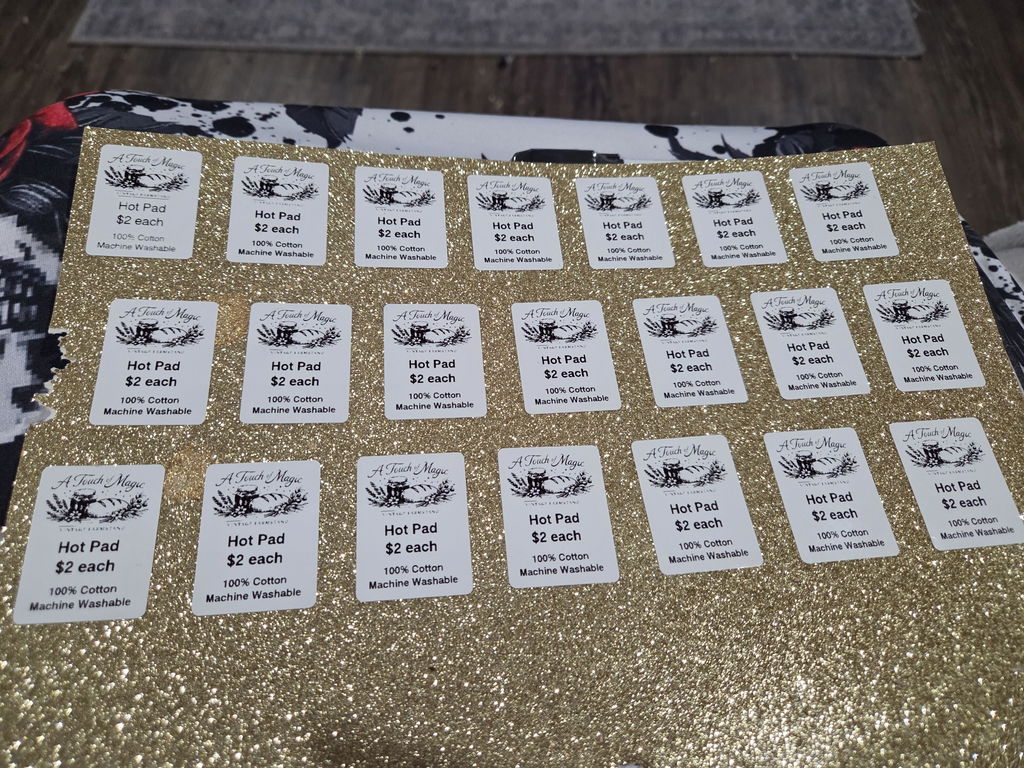
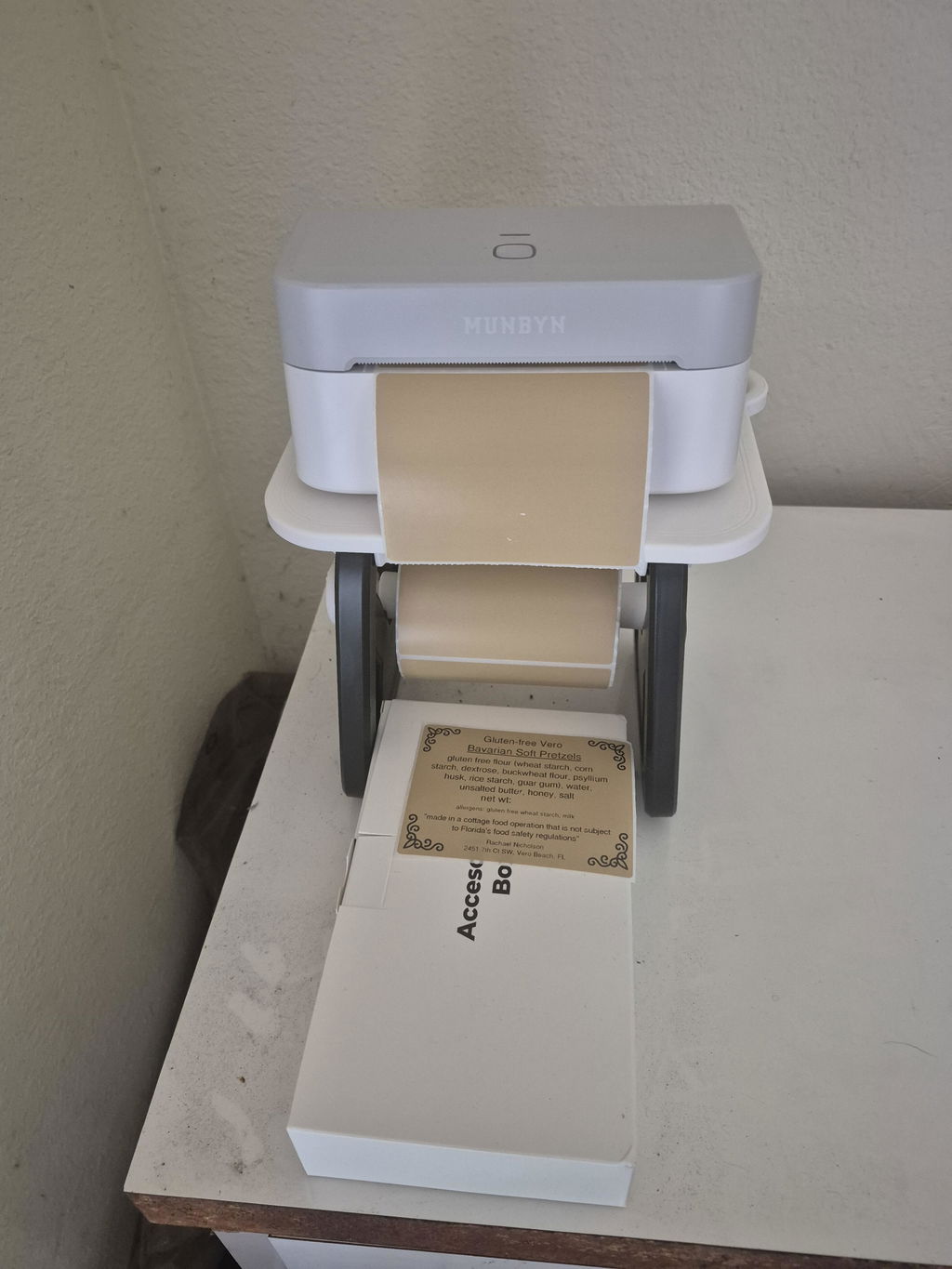
Business Type: Bakery & Food
I love this printer

I love this printer. The app is very easy to use.

M
Michelle S.
I am very happy

I am very happy. Took, literally two minutes set up and working perfect! Thank you

D
David
This little printer is a worthwhile investment

This little printer is a worthwhile investment. It solved the shipping label bottleneck printing of using a WiFi laser printer with a hotspot by going directly from my phone to the 403B with Bluetooth. The changeover learning curve wasn’t steep. An added value is being able to quickly print a wide variety stickers and labels as needed. The cost of supplies is reasonable.

A
Anonymous
Good

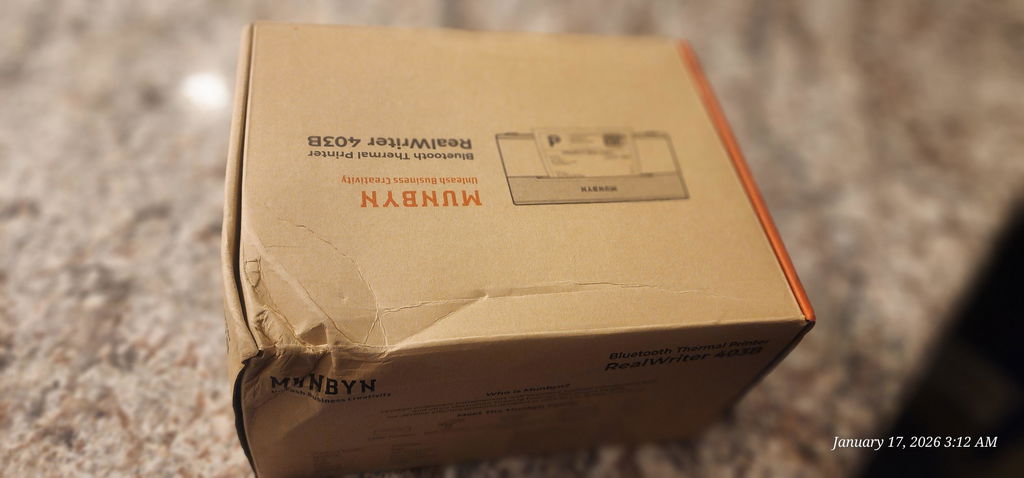
Box a little damage but printer are okey, quality is fair for the price.

L
Leah W.
Just what I needed

I use it from having labels and they were great. You said to play with it a little bit to get it how you want it

C
Cassandra
Slightly awkward to use but prints well

This printer was surprisingly easy to set up in Windows 11. I installed the driver and then was able to print from MS Word. It doesn't always seem to sense the start of the label correctly which can lead to the print being slightly offset. I think fairly wide margins and practice will make this manageable though. The print resolution is good, the prints are nice and crisp. Obviously it's a thermal printer so no ink is involved.

S
Sakura T.
Nice Machine, Mine Is Broken Within 1 Hour

Updated 5/27/2025After contacting Customer Service, I can comment that they are responsive & professional.They asked for a video of me using the machine (weird), but after compressing it and sending, they determined it was an issue with the print head. They sent me a new machine & shipping label to send the old one back.I used the new one about 5x more than I used the other one, and it's great.I am still having issues making it print in any reasonable way on circular labels. It still drifts and is offset - but is perfect on a square label.Super nice machine. I even printed the return label they sent on the new machine!----------------------------------------------------------I started out loving this and was ready to gush about it.Pro's:- Super easy to set up. The app was a no brainer, I was test printing in under 5 minutes.- Small, compact, portable.- Handles labels 1.57" to 4.25" wide, and there are a *ton* of good quality thermal labels in this range- Crisp prints- Super fast- a 4"x6" label full of print was 1-2 seconds- Phone editor and online editor are easy to use.- Can upload to view or use the phone app and use your own logos and images.- Can save projects created on your phone to the cloud (Awesome!). There is an issue with this under the Cons, though.Cons- The project maker online or on the phone is not super intuitive. A new Project will let you pick a blank label of a specific brand and off you go. If you want to use a template, you do not start a new project, you just pick the template and edit it and save it with a custom name. Not a biggie, just was a bit cumbersome to figure out, since the manual is lacking documentation for this.- The online editor initially looks to be only a Scratch Pad. I tried making a new online template, editing a template I created on the phone app (according to them, should not be able to edit on the web, but tried anyways). I could create one online via the web, but could not save it. If you have this issue, go to your account preferences and change something. I changed my avatar picture and saved. *Then* I could save projects online (and then see them in the phone app). Why? I do not know why. But it worked.- Frustratingly, you have the option of saving projects created on your phone to the cloud (Awesome! )- however, you cannot edit them in the cloud. And it doesn't warn you or tell you this anywhere until you dig into the FAQ's. If I can create a new label on the web and it shows on my phone (yes), and upload and edit one from my phone to the web (yes), I should be able to save it and see the changes back on my phone.- The circle labels did not detect correctly- it auto detects the perforation gaps and aligns with the front of the label and off you go. The circle consistently detected low. One out of 5 lined up correctly. Was figuring out the ins and outs, but am blocked, now due to the biggest con.- Between one print and the next, it started printing blank labels.So, I checked the manual and .. irritatingly, the answers to the FAQ in a printed booklet are URL's that are like munbyn.biz/403abc. Great.I did all the troubleshooting from soft and hard resetting to cleaning the print head (even though I've printed less than 20 labels). Turned it on and off, change labels, used their own labels. Waited to make sure it was 1000% cool.Nope, the most that happens is now it prints parallel lines the length of the print (If your print area is 2", it would print 2" lines on a 6" label, for instance)- the image is of the test print designed to fill a 4x6 label.A machine intended for business use needs to be close to 100% reliable. I've contacted their customer service and if we can figure out what happened and get it resolved, I will edit this review with an update.I can accept that sometimes things go wrong during manufacture.

J
JDL R.
Fantastic Bluetooth Mailing Label Printer for PC

UPDATE:My review below was all with interaction with my laptop which worked perfectly. I have since tried connecting and printing from my Android phone. I loaded the App, I connected the printer via Bluetooth and it did so easily, however when I went to print a label, it advanced the paper but did not print anything. I have a communication into their customer support to see about fixing this. So 1 less star for now. I'll update if resolved.ORIGINAL:This Munbyn RW403B thermal printer has been the perfect printer for mailing labels I need when shipping an item from an online sale. It self lines up the printer label when you start it up, then prints nice and clear 4" x 6" B&W labels for sticking onto the packages I ship out. It is by no means a heavy duty printer for commercial applications, however fir my occasional home use it is great. A starter set of labels is conveniently provided to.I found the set up relatively straight forward. Do follow the instructions to set up via Bluetooth. You need to install a driver you get online first. Do not connect the usual way through the PC system. It does allow for direct USB connectivity if you prefer that. Have wireless connectivity is great though from either your phone or laptop.The price is attractive, and it is a nice compact printer to.

A
Amazon C.
Great compact printer

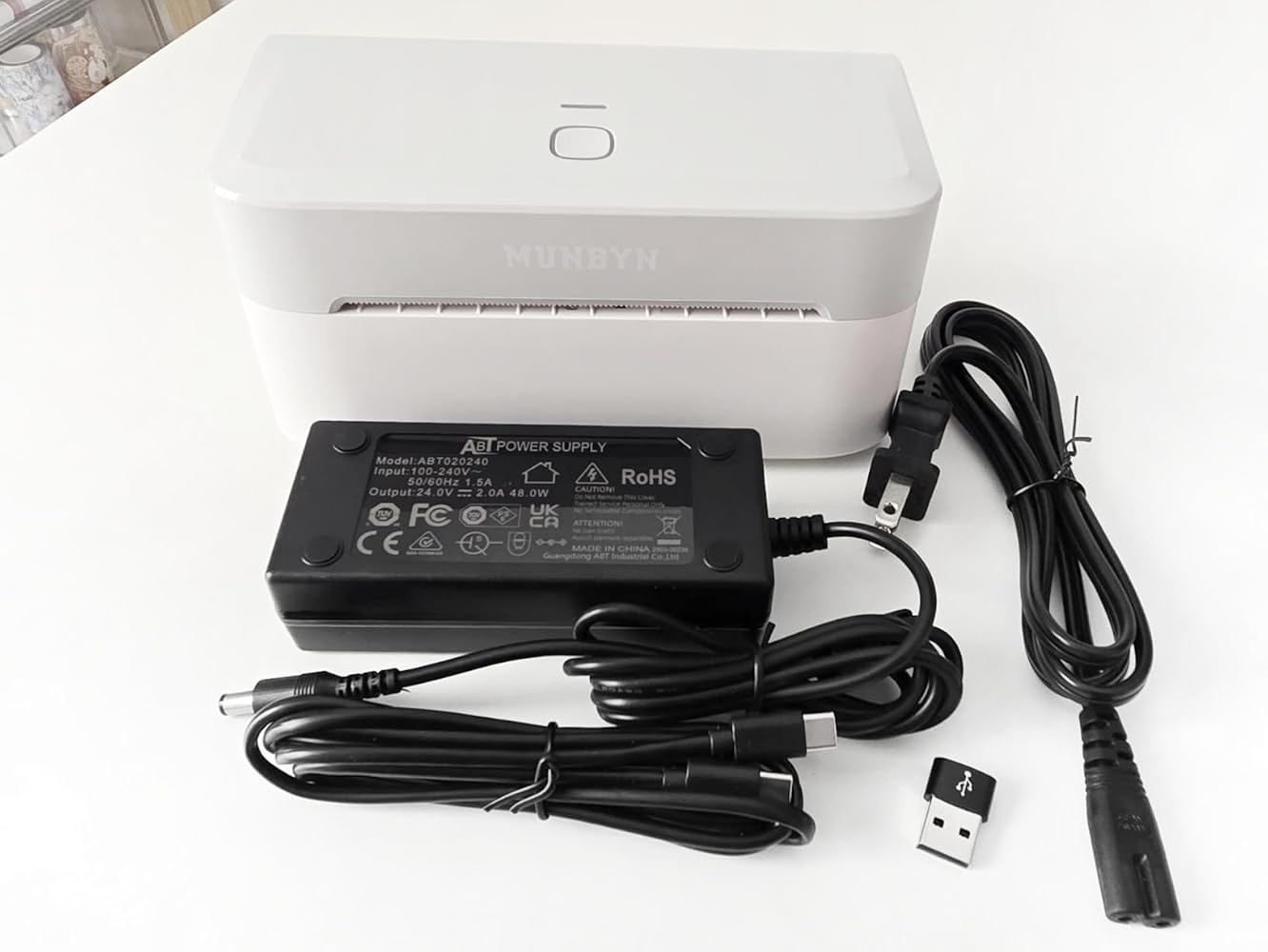
Printer: I'm satisfied that this printer opens sideways unlike their other popular printer and I love that's lightweight. The other thing I like is the fact that it has a very few cables and glad it came with an adapter and also a type c cable. As for the printing quality its good, wish it would print just a bit darker.App/Editor: For the app it was easy to use and printed the correct size. As for their online sticker editor I just wish it was an app as well and not keep on asking every other minute to sign up if I want to print my own label or image so I can't do drag/drop and print.Overall, it's a great printer I was able to use it on my phone, tablet and laptop.

A
Amy
Super efficient remote printer

Replaced my Munbyn 941 thermal label printer after the calibration stopped working. Been using the RW403B for almost a month and I really like it. Overall, a much more efficient printer (less wasted label paper) and love the remote printing (fewer cables!).Pros* It only uses 1 label per print -- no more wasted blank labels cycling through before or after printing* Bluetooth connection. Doesn't use up a USB port space. One less cable on my desk.* Can print labels from my phone when I'm not at my desk* Small size. Takes up less space than the 941 model (see comparison photo)* Better price. Cheaper than my older model.Cons* Was a bit challenging to set up. The link to the driver on the manual went to a YouTube video. They since corrected the link, but it took my a long time to find this driver on my own!* Had trouble connecting to Bluetooth on my Mac. It kept showing it was connected but when I went to print, it would suddenly disconnect. I re-installed the printer and restarted my Mac a couple times. It mysteriously works now as a remote printer, even though it doesn't show up as "Connected" on my Bluetooth dropdown menu on my Mac. Weird.* Printed label is slightly lighter shade of black vs my 941 model. Still totally legible, just not as high contrast / rich black.It was easy to set up the Munbyn Print app and it works well. But I won't be needing this for my label printing - just using this to print PDF address labels for my business.

G
Glorimar L.
perfect for your business

I wanted a printer to print my labels, and I found the perfect one. It's super easy to install and use. I also love its white color and size. It's perfect if you have a business and you publish labels daily.

K
Kim
Smooth and easy set up

This item is so much smoother and text is thicker than my previous thermal printer. Super quiet too. Best thermal on the market

L
Luz L.
I loved it

My first Bluetooth printer, I loved it, the quality is amazing, the price is grate, the print quality is super clean and is super fast to print, Amazing product

F
Fatimatu K.
Great machine!!!

This machine is a nice upgrade to my old machine. Love how fast it connects to bluetooth with no issues. Print quality is great and the setup was so easy. I recommend for anyone in need of a label printer. Its fast, efficient, and cost effective.

K
Kayla
Teacher must have!

My newest obsession for my classroom! So much easier than printing and laminating things! Also making notebook labels for my students. What did I do before this?!

Y
YSABEL R.
Awesome Printer & Easy Set Up

Super easy to use and good for a small area. The printing quality is the best and it comes with instructions on how to connect via bluetooth that is a plus for me!

E
EM
Perfect thermal printer for stickers and shipping labels!

This printer has impressed me. It prints wirelessly from both my phone and computer, and it works ink-free.It's fast, delivers excellent quality, and is perfect for making custom stickers and shipping labels. Plus, it's compact and very easy to use, even for beginners. If you have a small business or enjoy creative projects, I hiahlv recommend it!

J
JHallberg
Great product and price

Very convenient and easy to use label printer. Have been able to take it places with me and use wherever I go. Love the design. Very sleek. Love the ease of use. Would definitely recommend.

C
Cassie
Most quiet Munbyn thermal printers I have!

Very quiet printer. I have 2 other Munbyn thermal printers and have enjoyed using both for my small business. This is the most quiet one i have. And it��s bluetooth! Print quality is on par with my other printers from Munbyn. I have received this printer through a limited time promotion to test it out and I really enjoy it so far!

E
EAPastor
Always happy with Munbyn

My second Munbyn label printer! Always happy with how easy it is to use their products. The interface on the app could use a little improvement but that��s not a dealbreaker or anything to steer me away from this brand. I use it for more than printing labels and often use it to make stickers to organize my kids clothes in storage.

K
K A.

I need kraft paper color label, I do not see them available.

FAQs

Please read our FAQs page to find out more.

What is the MUNBYN RW403B designed for?

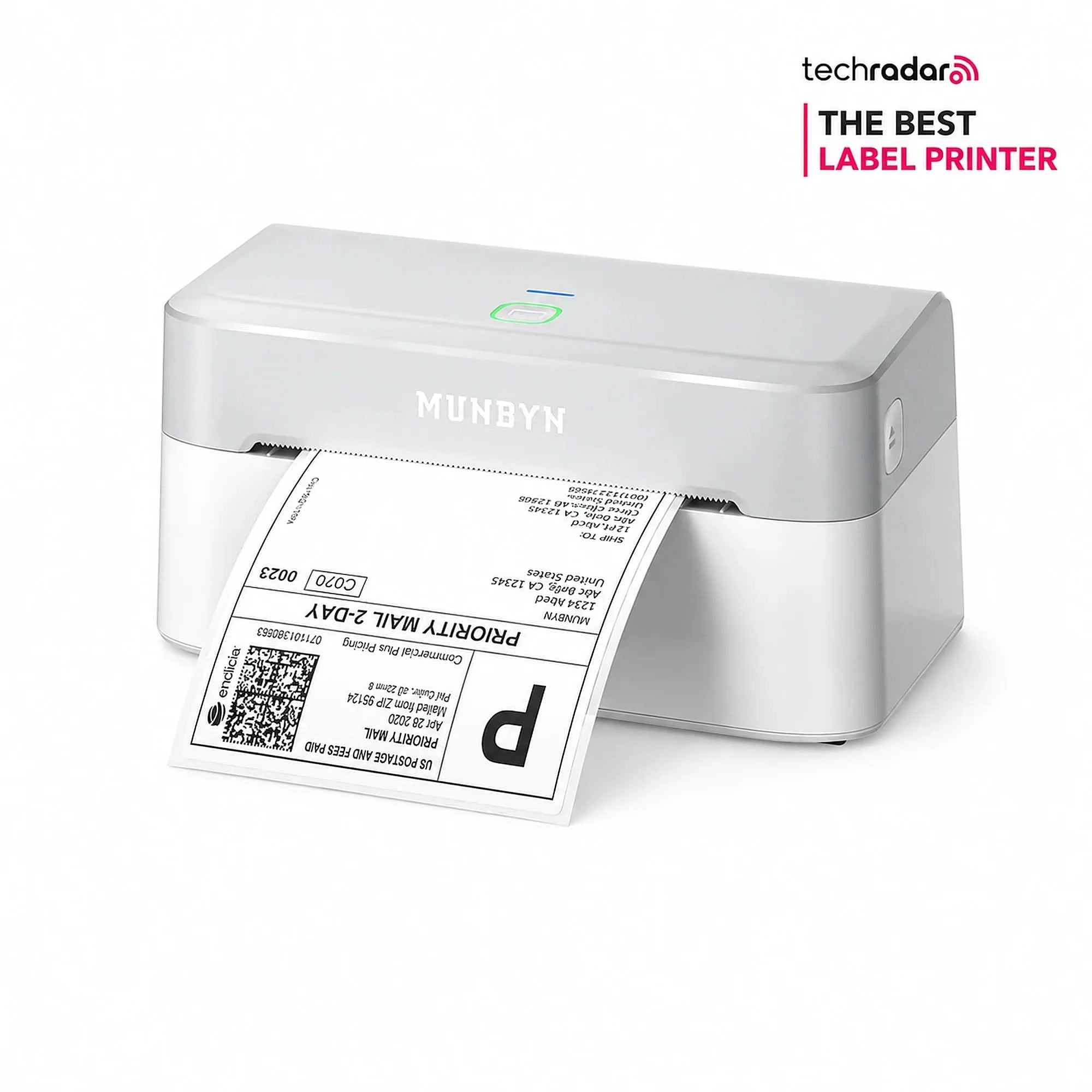
The MUNBYN RW403B is designed for printing shipping labels, return labels, inventory tags, organization labels, and small-business branding materials. It's suitable for warehouses, retail counters, offices, home businesses, and regular ecommerce shipping.

How does the MUNBYN RW403B connect to phones and computers?

The RW403B thermal label printer supports Bluetooth connections with iPhone, iPad, Android, Windows, and Mac devices. Mobile users can print through the MUNBYN Print app, while Windows and Mac computers can also connect by USB.

Which shipping and ecommerce platforms can I use with the RW403B printer?

The RW403B Bluetooth label printer can print labels created by major shipping and ecommerce services, including FedEx, UPS, Amazon, and Shopify, etc..

What label sizes are compatible with the MUNBYN RW403B label printer?

The RW403B Bluetooth thermal printer supports label widths from 1.57 to 4.25 inches, or 40 to 108 mm. This range covers common 4 x 6 shipping labels as well as narrower product, inventory, organization, and circle labels.

Does the RW403B Bluetooth label printer require ink, toner, or cartridges?

No. The RW403B Bluetooth thermal label printer uses direct thermal printing, so it does not require ink, toner, or ribbon cartridges. It prints by applying heat to compatible direct thermal labels. For consistent barcode and text quality, store unused labels away from excessive heat, sunlight, and moisture.

What print resolution and speed does the RW403B provide?

The RW403B thermal label printer has a 203 DPI print resolution and a listed printing speed of up to 150 mm/s. This combination is intended for clear shipping text, addresses, and scannable barcodes during routine order fulfillment.

How do I calibrate the RW403B and prevent misaligned labels?

The RW403B shipping label printer uses Dynamic Auto-Calibration, or DAC, to detect and align loaded labels. When changing sizes, load the labels straight, adjust the guides, and run calibration before printing a batch.

What warranty and support are included with the RW403B?

The RW403B label printer includes a two-year warranty and technical support. Keep the order details and printer information available when contacting MUNBYN support. Warranty coverage and service eligibility remain subject to the terms shown for the order and region at the time of purchase.

Didn’t find your answer?

Don't hestitate to contact us

Free shipping and returns