


 United States
 Best Seller
 Label Printers
 All PDAs
 All Tablets
 All Thermal Labels
 Printer Accessories
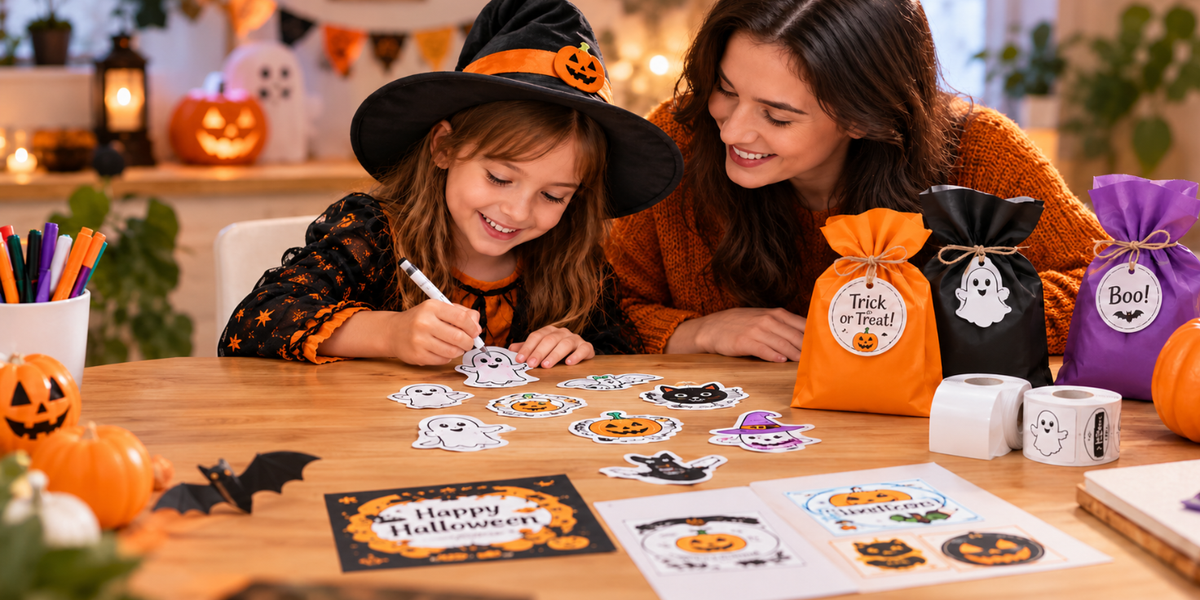
If your kid has ever turned a roll of washi tape into a "craft emergency," you already know how much joy stickers bring. Now imagine letting them design their own — not by tapping through an app, but just by saying an idea out loud. That's the promise behind the new wave of AI sticker makers, and it's why so many parents are searching for the best AI sticker maker for kids right now.
But "AI" and "kids" in the same sentence make most parents pause. Is it safe? Does it need a screen? Will it record my child? Those are fair questions, and they're exactly what we'll walk through here.
Why Parents Are Looking for an AI Sticker Maker in the First Place
Sticker-making used to mean one of two things: buying pre-printed sheets that get boring fast, or wrestling with design software clearly not built for an 8-year-old. AI sticker makers solve a real problem — they let kids create something personal and original in seconds, without needing drawing skills or design experience.
The appeal is obvious. The hesitation is just as obvious. Parents searching for the best sticker maker for kids are usually weighing the same handful of concerns:
-
Screen time. Another device competing for attention isn't exciting to most parents.
-
Data privacy. Voice-activated, AI-powered gadgets immediately raise the question: "Is it always listening?"
-
Content safety. Will the AI generate something weird, scary, or inappropriate?
-
Mess and cost. Ink cartridges, refills, and printer maintenance add up.
-
Actual durability. Will this become a forgotten drawer item after two weeks?
A genuinely good kids' sticker maker needs to answer all five — not just the fun part.
What to Look for in a Sticker Maker for Kids
Before comparing products, it helps to know what actually separates a good one from a gimmick.
1. Screen-free or screen-light operation. The best options let kids create with their hands and voices, not with a phone glued to their faces.
2. Privacy by design. Look for "press-to-talk" rather than always-on listening. That single feature setting matters more than almost anything else on the spec sheet.
3. Built-in content safeguards. AI image generation aimed at kids should have guardrails that filter out unsafe or inappropriate outputs automatically — not as an afterthought.
4. Mess-free printing. Ink-free, thermal printing means no cartridges, no stains on the kitchen table, and no surprise reorder costs.
5. Speed and reliability. Kids have short attention spans. If a sticker takes two minutes to print, the magic is gone before it lands on the page.
6. Real-world usefulness. The best designs aren't just "cute for five minutes" — they double as lunch box labels, planner stickers, homework rewards, and craft decorations.
Our Pick: MUNBYN Stickee SP01 AI Sticker Printer for Kids

After mapping those criteria against what's actually on the market, the MUNBYN SP01 Sticker Printer stands out as one of the most thoughtfully built options for families right now — and it's designed around the exact concerns parents raise first.
How it works: A kid presses a button, says an idea out loud — "a dinosaur eating pizza," for example — and the SP01's AI turns that phrase into a simple, printable design within minutes. No app required to create, no phone handed over, no screen-time guilt.
On privacy: This is where SP01 earns real credit. It uses press-to-talk voice activation, meaning the microphone isn't listening in the background. AI processing only kicks in when a child deliberately presses the button — a meaningful difference from smart speakers that listen passively all day.
On content safety: SP01 includes built-in safeguards designed to filter unsafe, offensive, or inappropriate AI outputs, so parents aren't left wondering what might show up on the screen before it prints.
On mess and cost: It uses ink-free thermal printing with BPA-free paper. No cartridges, no toner, no replacement costs creeping up over time — just paper.
On speed: Prints at 50mm per second, so the gap between "say it" and "stick it" stays short enough to hold a kid's attention.
In daily life, you can use it to:
- Lunch box name labels
- Homework reward stickers
- Planner and journal decorations
- Handmade card and gift decorating
- General screen-free craft time
It also includes a small 3.5-inch screen for previewing a design before it prints — a nice middle ground between "fully screen-free" and "no idea what's about to come out of the printer." Click to learn more about the SP01 sticker printer.
How It Stacks Up Against Other Sticker-Making Options
Phone or tablet sticker apps: Fast and free, but they put a screen directly in a child's hands, and most general-purpose AI image apps aren't built with kid-specific content filters.
Traditional die-cut sticker machines: Reliable and screen-free, but they require pre-made designs — there's no original creation involved, which limits the "I made this" satisfaction.
Sticker subscription boxes: Fun for a month, repetitive after that, and they don't let a child design anything themselves.
AI-powered, voice-activated printers like the MUNBYN SP01: Combine the originality of AI with hands-on, screen-free creation — while addressing the privacy and safety gaps that come with most consumer AI tools.
Tips for Getting the Most Out of an AI Sticker Maker
-
Set it up together the first time. Knowing exactly how the press-to-talk feature works builds trust for both you and your kid.
-
Use it as a reward tool, not just free play — homework done, chores finished, good behavior, and so on.
-
Keep a "sticker jar" for finished designs so they don't end up loose all over the house (good luck with that one).
-
Check for software updates. Features like print preview are often added through updates, so it's worth checking the companion app occasionally.
Final Thoughts
The best AI sticker maker for kids isn't the one with the flashiest tech — it's the one that turns "screen-free creativity" from a nice idea into something that actually works in a busy household. For families weighing privacy, safety, and a no-mess setup against the fun factor, the MUNBYN Stickee SP01 checks boxes that a lot of other "AI for kids" gadgets simply skip. Use the limited-time discount code "MYSEO" at checkout to enjoy an extra 8% off today!
If your kid's imagination is already bigger than your sticker drawer, it might be time to let them print it themselves.
Share:
What Is an AI Sticker Printer? Everything You Need to Know
203 DPI vs. 300 DPI Label Printers: Do You Need the Higher Resolution?